

HOW TO PASS YOUR CQC INSPECTION
How your tech can make CQC compliance easier
Good clinical systems do more than support day-to-day operations, they can also make it much easier to demonstrate compliance to the Care Quality Commission (CQC). Used well, your tech helps you stay organised and build the kind of evidence that shows how your service is running in practice.
 |
Dr Jonathan Andrews |

For healthcare providers, the systems you use every day can be your secret weapon when it comes to CQC, not only making compliance easier but also helping you provide inspectors with the evidence they need. And if you’re organised, you can do it without a mad last-minute digital dash.
Here’s how your tech can boost your CQC rating - and what you should be doing throughout the year to stay inspection-ready.
CQC and the role of technology
Being able to show that you are constantly innovating and using tech that helps provide better care and, ultimately, better outcomes, is key.
During inspections, the CQC focus on five key questions: are services safe, effective, caring, responsive and well-led?
Inspectors expect evidence to back these up, and that’s where your tech steps in. It streamlines your processes, automates your record-keeping and ensures vital information is always at your fingertips.
How your technology can help with CQC compliance
Clinical records
Good clinical records make day-to-day care safer and easier for everyone involved. With a modern electronic health record (EHR), every consultation, clinical decision, referral and patient communication can be captured in one clear, searchable record, helping your team stay organised and giving you confidence that a full history of a patient’s care is always easy to find.
Why it matters:
- Comprehensive: Every interaction is captured, from presenting complaint to outcome, so nothing is left undocumented or relies on memory.
- Consistency: Structured templates help ensure records meet the same standard across every clinician and every appointment.
- Accessibility: Records are stored securely in one place, meaning the right information is always available to the right person at the right time.
- Accountability: Notes are time-stamped and attributed to the clinician who created them, creating a clear record of who did what and when.
What it shows the inspector:
- Your practice keeps complete and accurate records of every patient interaction.
- Clinical decisions are documented and can be evidenced, demonstrating safe and effective care.
- Records are consistent across your team, regardless of which clinician a patient sees.
- You can retrieve and present a full picture of any patient's care quickly and confidently.
Key questions addressed: Safe, Effective and Well-led, through accurate record-keeping, continuity of care and consistent standards.
Making sure results are seen and acted on
Modern EHRs can bring lab results straight into the patient record, giving your team one clear place to review information and decide what happens next. This lowers the risk of delays and makes follow-up feel more manageable.
Why it matters:
- Speed: Quicker results mean faster diagnosis and treatment, which improves patient outcomes.
- Alerts and actions: Abnormal results can automatically trigger alerts, ensuring nothing is missed and urgent cases are prioritised.
- Accountability: Each action taken - review, follow-up, communication with patients - is logged with user and time stamps.
What it shows the inspector:
- Your practice is responsive and proactive, reducing clinical risk.
- Results are reviewed and acted upon promptly, demonstrating safe and effective care.
- You can evidence the entire patient journey, from test order to follow-up.
Key questions addressed: Safe and Effective, by showing timely review, follow-up and clear clinical decision-making.
Spotting risks early and showing improvement
Audit tools built into practice management systems let you run regular checks on areas like prescribing safety, infection control or safeguarding compliance. Every action is logged with user and timestamp information, creating an automatic audit trail.
Why it matters:
- Automated data collection: No more manual spreadsheets, data is pulled directly from records which reduces human error.
- Real-time dashboards: Instantly see your current performance, spot trends and identify areas for improvement.
- Easy action planning: Track progress, assign actions to team members and set reminders for follow-up.
- System Logs: User access, setting changes and system actions are all tracked.
What it shows the inspector:
- You have an embedded culture of continuous improvement.
- You are proactive about identifying and addressing risks.
- You can demonstrate impact with before-and-after evidence, not just intentions.
- You can show exactly who did what, when and provide this information within hours if requested.
Key questions addressed: Well-led, as well as Safe and Effective, by showing oversight, learning and follow-through.
Making sure important tasks aren’t missed
Automated reminders and alerts can be set for everything from patient communications, clinical workflows and internal task management. Appointment reminders can be sent automatically and one-off comms can be scheduled to send patient recalls, follow-ups and review requests.
Tasks allow practice to create, assign and track compliance actions, like outstanding lab reviews, credential checks and follow-up care with deadlines and ownership recorded.
Why it matters:
- Reduces human error: No risk of forgetting key deadlines or compliance tasks.
- Consistent compliance: Ensures nothing slips through the cracks, such as sending a recall or updating key information.
- Complete records: Logs show when communications were sent, received and acted on. The same for tasks, which records when actions were created, assigned and completed, creating an auditable paper trail.
What it shows the inspector:
- Your compliance processes are robust and reliable.
- Clinical and administrative workflows are actively monitored, with tasks and alerts triggered in real time when action is required,
- You maintain high standards without relying solely on individuals to remember key dates.
- Your team can demonstrate, with timestamped logs, that reminders were sent, communications were received and tasks were acted on, providing the kind of evidence of good governance that CQC inspectors expect to see.
Key questions addressed: Safe and Well-led, by helping the practice stay on top of important actions and reduce the risk of things being missed.
Capturing consent and key information before the appointment
What it does:
Pre-consultation questionnaires can help collect consent, relevant medical information and updates from patients in a consistent way before appointments, with completed forms stored directly in the patient record.
Why it matters:
- Automatic documentation: No manual filing or risk of lost consent forms.
- Digital signatures: Legally valid electronic consent capture.
- Instant access: Consent documentation is immediately available during inspections.
What it shows the inspector:
- Consent processes are robust, consistently applied and properly documented.
CQC areas supported: Effective and Safe, by showing that consent and pre-appointment information are captured clearly and stored consistently.
Controlling who can access what
A good practice management system lets you control exactly who in your team can see, edit or share patient information. Role-based permissions mean that each member of staff only has access to what they need, reducing the risk of data breaches or accidental changes to sensitive records. This is particularly key; inspectors are hot on confidentiality, accountability and governance.
Why it matters:
- Protects confidential information: Helps make sure sensitive patient data is only seen by the people who need access to it.
- Reduces the risk of mistakes: Limits the chance of inappropriate access or accidental changes to important records.
- Creates clear accountability: Makes it easier to see who viewed, updated, or completed something and when.
What it shows the inspector:
- That patient information is handled securely and responsibly.
- That there is accountability around access and activity.
Key questions addressed: Safe and Well-led. Inspectors will want to see that access to sensitive information is not left to chance.
Helping patients stay informed
Secure digital communication tools like a patient portal make it easier to share messages, documents, forms and updates with patients in a way that’s straightforward and easy to track. Patients can receive important information securely and your team has a clear record of what was sent and when.
These communications can also be used to gather feedback after appointments, helping practices understand patient experience and keep a record of responses.
Why it matters:
- Keeps patients informed: Patients can access important information without delays or confusion.
- Supports continuity of care: Follow-up messages, forms and documents are easier to share and less likely to be missed.
- Creates a clear record: Your team can see when information was sent, helping avoid gaps or misunderstandings.
- Improves the patient experience: Communication feels smoother, more timely and easier for patients to manage.
- Shows where improvements are needed: Feedback can highlight recurring issues in communication, access, waiting times or patient experience.
What it shows the inspector:
- Patients are kept informed and supported throughout their care.
- Your practice communicates clearly and consistently.
- There’s a reliable record of patient communications when needed.
- That your practice listens to patients and uses their feedback to improve services.
- That concerns, trends or recurring themes are reviewed rather than overlooked.
Key questions addressed: Caring and Responsive, supported by clear communication records and timely information-sharing.
Year-round preparation: Keeping your tech CQC-ready
1. Routine checks and updates
- Regularly review and update software systems to ensure they remain secure and fit for purpose.
- Keep all digital policies and protocols current, with clear version control.
- Ensure all staff are trained on the tech they need to use (track this digitally).
2. Ongoing data quality
- Audit clinical records for completeness (e.g., allergies, consent, safeguarding).
- Run regular reports to identify gaps or overdue actions.
- Correct errors promptly and document the changes.
3. Evidence gathering
- Save key reports and audits in a central, easy-to-access location.
- Maintain a digital evidence folder that you update throughout the year, not just before inspection.
- Document your responses to incidents and complaints, showing how you learn and improve.
Final tips for CQC inspection day
A little preparation goes a long way and with the right systems in place, inspection day can feel much more straightforward than you might expect. There are a couple of small things that’ll go a long way when it comes to using your tech to your advantage on inspection day:
- Nominate someone as ‘tech champion’, who can quickly access and demonstrate your systems to inspectors.
- Prepare a digital evidence summary highlighting how your tech supports each of the CQC’s key lines of enquiry.
- Test your systems in advance to ensure everything can be accessed smoothly on the day.
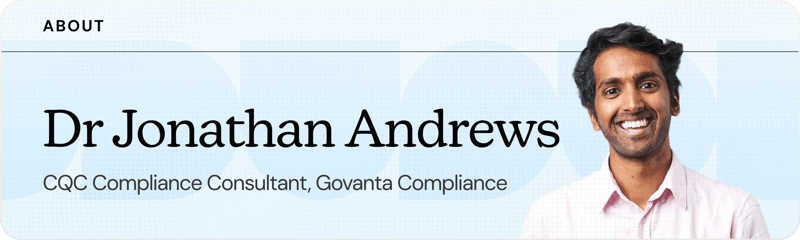
Dr Jonathan Andrews is a Medical Director and practising doctor working across both the NHS and private healthcare. Jonathan also leads Govanta Compliance, a CQC consultancy dedicated to demystifying the inspection process and helping practices achieve successful outcomes. He advises start-ups and scale-ups and delivers educational services across a broad range of topics.
.webp?width=380&height=201&name=Ongoing%20requirements%20(1).webp)
.svg)
.webp?width=380&height=201&name=Regular%20CQC%20audits%20(1).webp)
-1.svg)